
TOPIC
Organize busy homes with simple systems that support work, family, and daily routines.

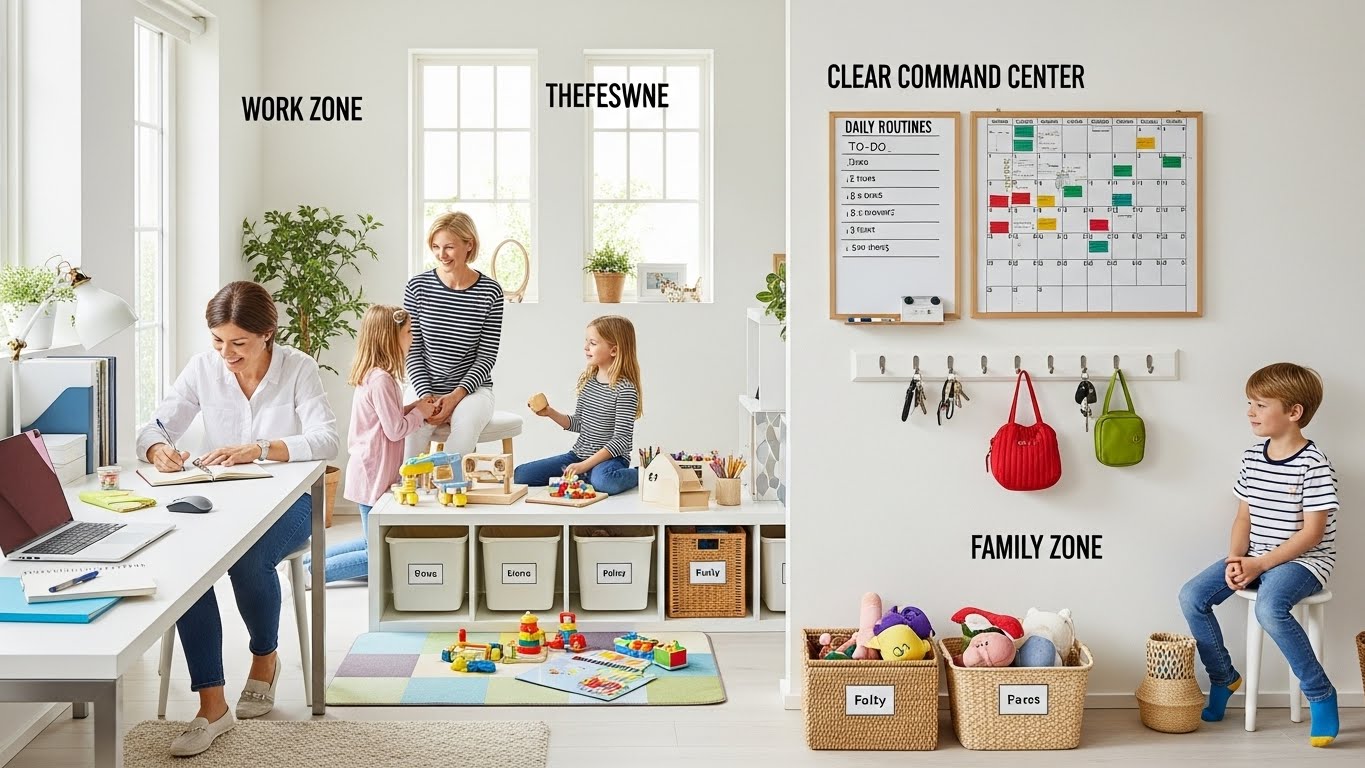
Smart Organization Choices for Busy, Multi-Tasking Homes
Homes today fill many roles at once. Living rooms are workspaces, kitchens and bedrooms are homework zones, and vice versa; when an organization doesn’t keep up, clutter builds quickly and routine feels harder than it has to. Smarter storage helps homes bend without breaking (or constant cleaning).
Smart organizing choices for busy, multi-tasking homes highlight flexibility and clarity. Items are easy to find, easy to put away, easy to move as needs demand. When storage supports real daily habits, homes breathe easier even when life gets busy. With simple systems and shared zones clearly defined, families can flit from one thing to another smoothly, cozily, and comfortably ready for whatever the day brings.
Understanding Daily Space Conflicts
Daily space conflicts happen when one area is expected to serve too many purposes without clear organization. In busy homes, the same table may be used for meals, work, homework, and hobbies. When items for each activity mix together, frustration builds and time is wasted clearing space or searching for essentials. These conflicts are not caused by lack of space, but by lack of structure.
Space conflicts often appear as small irritations. Papers pile up where meals are prepared, chargers spread across seating areas, or personal items linger in shared rooms. Over time, these small issues create mental clutter and slow down routines. When everyone competes for the same surfaces or storage, tension increases and productivity drops.
Understanding where conflicts occur helps households respond thoughtfully instead of constantly tidying. Observing when and why clutter appears reveals which activities need better support. Once conflicts are identified, organization choices become clearer. The home begins to work with daily life rather than against it, creating smoother transitions between tasks and calmer shared spaces.
FAQ
What causes daily space conflicts?
Multiple activities sharing the same area without structure.
Do space conflicts mean a home is too small?
No, they usually signal organization gaps.
How can conflicts be identified?
By noticing repeated clutter and interruptions.
Can conflicts be reduced without buying storage?
Yes, clear zones and habits often help.
Prioritizing Shared Areas
Shared areas set the tone for how smoothly a busy home functions. When these spaces are overloaded, every activity feels harder. Prioritizing shared areas means organizing them to support the most frequent and important daily tasks first. This approach protects flow and reduces constant resetting.
One-day use case:
The day starts with breakfast in a clear kitchen because shared surfaces are kept open overnight. After breakfast, school and work materials are placed in a designated spot rather than spreading across the table. Midday tasks happen smoothly because shared areas remain flexible. In the afternoon, hobbies use the same space without conflict because items are easy to move and store. By evening, the room transitions back to family time without a full cleanup. The home supports each shift naturally, and shared areas remain welcoming throughout the day.
When shared spaces are prioritized, everyone benefits. Clear expectations make it easier to clean up quickly and move on to the next activity. Over time, shared areas become reliable anchors that support busy routines, reduce stress, and keep the home functioning smoothly even on the most demanding days.
Creating Flexible Storage Zones
A clever solution for busy, multi-tasking homes is to maintain flexible storage zones that respond to daily needs and change. Rather than designating permanent places for every activity, flexible zones allow items to slip in and out of common space without mess while enabling evolving routines to take their course.
Separate daily use from overflow
Items used every day should stay within easy reach, while occasional or seasonal items should live elsewhere. When overflow stays in shared areas, it limits movement and creates visual noise. Moving rarely used items out of main living spaces restores balance and makes daily tasks easier. Options like Barton Rd climate controlled NSA Storage help families store extra belongings safely without crowding the home. This separation keeps shared areas open and ready for constant transitions.
Use containers that travel
Bins, baskets, or rolling carts allow items to move between rooms as needed. School supplies, work tools, or hobby materials can be brought out when required and stored away afterward. This keeps surfaces clear and reduces setup time for each activity.
Keeping Routines Simple
Organization works best when it supports habits instead of fighting them. Simple routines make it easier for everyone in the home to participate.
Reduce steps, not options
Storage should shorten cleanup time, not add steps. When items return to obvious places, routines stick naturally.
What works in practice:
Homes that limit each activity to one container or zone spend less time cleaning and more time enjoying shared spaces.
Reset spaces daily
A quick end-of-day reset prepares rooms for the next morning. Simple routines keep organization sustainable even during the busiest weeks.
Reviewing Organization Often
The constant change of a busy home means that the organizational systems that were once helpful can quickly become unhelpful without regular attention to them. A regular evaluation will help prevent clutter from building up slowly and return the storage systems to alignment with your actual routines. The evaluation process does not have to be extensive or time-consuming; instead, it focuses on identifying what is easy to find and use and what is difficult or frustrating to find and use in day-to-day life.
Watch friction points
Friction appears when items are hard to put away or frequently left out. These moments highlight where storage no longer matches behavior. Adjusting placement or reducing steps restores flow quickly.
Update systems as routines shift
School schedules, work demands, and family activities change over time. Organization should change with them. Regular review ensures systems stay supportive instead of outdated.
Common questions answered:
Many households ask how often an organization should be reviewed. A light monthly check is usually enough. Others wonder if reviewing means reorganizing everything. Often, only small adjustments are needed. Some ask whether constant review creates extra work. In practice, it saves time by preventing clutter buildup. A common concern is inconsistency. Simple, repeatable systems reduce confusion. These answers show that regular review keeps organization working quietly in the background, supporting busy routines without becoming another task.
Organization That Supports Real Life
Smart organization is not about perfect rooms. It is about creating a home that adapts to busy days, changing needs, and shared responsibilities. Smart Organization Choices for Busy, Multi-Tasking Homes focus on flexibility, clarity, and ease of use.
Take a moment to observe where your home feels smooth and where it feels stressful. Small changes can improve flow and reduce daily pressure. Smart Organization Choices for Busy, Multi-Tasking Homes help families move confidently between tasks while keeping shared spaces calm, functional, and welcoming. When an organization supports real life, the home works with you instead of against you.

Few television characters have celebrated cultural identity as joyfully as Gloria Pritchett. Throughout Modern Family, Gloria embraces her Colombian heritage, speaks Spanish with confidence, shares stories from her upbringing, and occasionally reminds everyone around her that adapting to a new country does not mean leaving your roots behind.
While the series focuses primarily on family relationships and comedy, Gloria’s journey also reflects an experience shared by millions of people around the world: building a new life in another country while navigating unfamiliar systems, languages, and paperwork.
Moving internationally is exciting, but anyone who has done it knows that official documents quickly become an important part of the process. From proving your identity to registering children for school, many life events depend on having the right paperwork available in a language that local institutions can understand.
Life Doesn’t Pause When You Cross Borders
One of Gloria’s defining traits is her determination. Whether she is defending her culture, supporting her family, or pursuing a new opportunity, she rarely allows obstacles to stop her.
Real-life newcomers often need a similar mindset. Relocating to another country involves much more than packing suitcases and finding a new home. It frequently requires gathering documents issued years earlier, sometimes in another language and under completely different legal systems.
People who move abroad may suddenly discover they need copies of records they have not looked at in decades. Some documents may be stored with relatives, local municipalities, churches, or government offices back home. Others may need to be replaced because they were lost or damaged over time.
In many situations, presenting a document in its original language is not enough. Schools, employers, banks, courts, and healthcare providers often need to understand exactly what the document says before they can process an application or provide a service. Thus, the official certified translation is required.
The Documents Families Commonly Need
Every family’s circumstances are unique, but certain records appear repeatedly during international moves.
Birth Certificates
Birth certificates are among the most frequently requested documents. They establish identity, parentage, and place of birth.
Parents may need birth certificates when enrolling children in school, applying for benefits, obtaining passports, or proving family relationships.
For multicultural families, it is not unusual for parents and children to possess documents issued in several different countries and languages.
Marriage Certificates
Marriage certificates become important whenever couples need to demonstrate their legal relationship.
Whether opening joint accounts, updating insurance policies, purchasing property, or handling inheritance matters, proof of marriage is often required.
Families who married abroad sometimes discover that institutions in their new country expect the certificate to be accompanied by an accurate translation.
Academic Records
Diplomas, transcripts, and certificates of completion help educational institutions and employers evaluate an applicant’s background.
Adults seeking professional opportunities may need to provide evidence of degrees earned overseas. Teenagers transferring schools may also have to submit translated report cards and attendance records.
Even short educational programs, vocational courses, and language certificates can become relevant depending on the situation.
Medical Documents
Medical histories, vaccination records, and specialist reports can be invaluable when changing healthcare providers.
Having these records available in a language that doctors can understand helps ensure continuity of care and reduces the chances of misunderstandings.
Parents of young children often find it especially useful to organize vaccination records before moving internationally.
Police Certificates and Legal Records
Certain applications and professional licensing processes require police clearances or court documents.
Obtaining these papers from another country can take time, making it worthwhile to prepare them early.
Translation Is About More Than Language
People sometimes assume that translating an official document simply means replacing words from one language with words from another.
In reality, document translation requires precision.
Dates may follow different formats from country to country. Names can appear in multiple spellings. Some languages use characters that do not exist in English, while others have naming conventions that differ significantly from North American standards.
A small inconsistency can create unnecessary delays.
Imagine if Gloria’s full name appeared one way on her birth certificate, another way on her marriage certificate, and yet another way on her son’s school records. A clerk reviewing the paperwork might request additional explanations before proceeding.
Professional translators pay close attention to these details, ensuring that names, locations, stamps, signatures, and annotations are accurately represented.
Keeping Documents Organized
One lesson viewers can take from Modern Family is that family life is rarely predictable.
Unexpected opportunities arise. Emergencies happen. Plans change.
For internationally connected families, maintaining an organized document archive can save considerable stress.
A practical approach includes:
- Creating digital scans of important records.
- Storing original documents in a secure location.
- Keeping copies accessible while traveling.
- Checking expiration dates on passports and identity cards.
- Updating translations whenever a document is renewed or amended.
Some families also maintain a checklist identifying where each document was issued and whom to contact if a replacement is needed.
Embracing Two Cultures
Part of what makes Gloria such a memorable character is that she never hides her background. She introduces her traditions to the people around her, cooks familiar meals, celebrates holidays from home, and teaches her family to appreciate another perspective.
Many immigrant families share this experience.
Children may grow up speaking more than one language. Grandparents might live in another country. Relatives may visit from overseas carrying stories, customs, and documents written in languages younger generations cannot easily read.
Managing paperwork may not be the most exciting aspect of multicultural life, but it supports many meaningful milestones.
Buying a first home, enrolling a child in school, continuing an education, getting married, or pursuing a dream career often begins with something surprisingly simple: having the right documents ready when they are needed.
A Modern Family Reality
Television tends to skip over administrative tasks because they rarely make for entertaining storylines. Viewers see celebrations, arguments, vacations, and heartfelt moments, but they do not see characters waiting in line to request certified copies of records or searching old filing cabinets for missing certificates.
Yet these behind-the-scenes responsibilities are part of everyday life for countless families around the world.
Gloria reminds us that adapting to a new environment does not mean abandoning who we are. Our languages, histories, and personal records travel with us, helping tell the story of where we came from and where we hope to go next.
And while moving between countries can involve plenty of paperwork, being prepared allows families to spend less time worrying about documents and more time focusing on what truly matters: creating memories together.
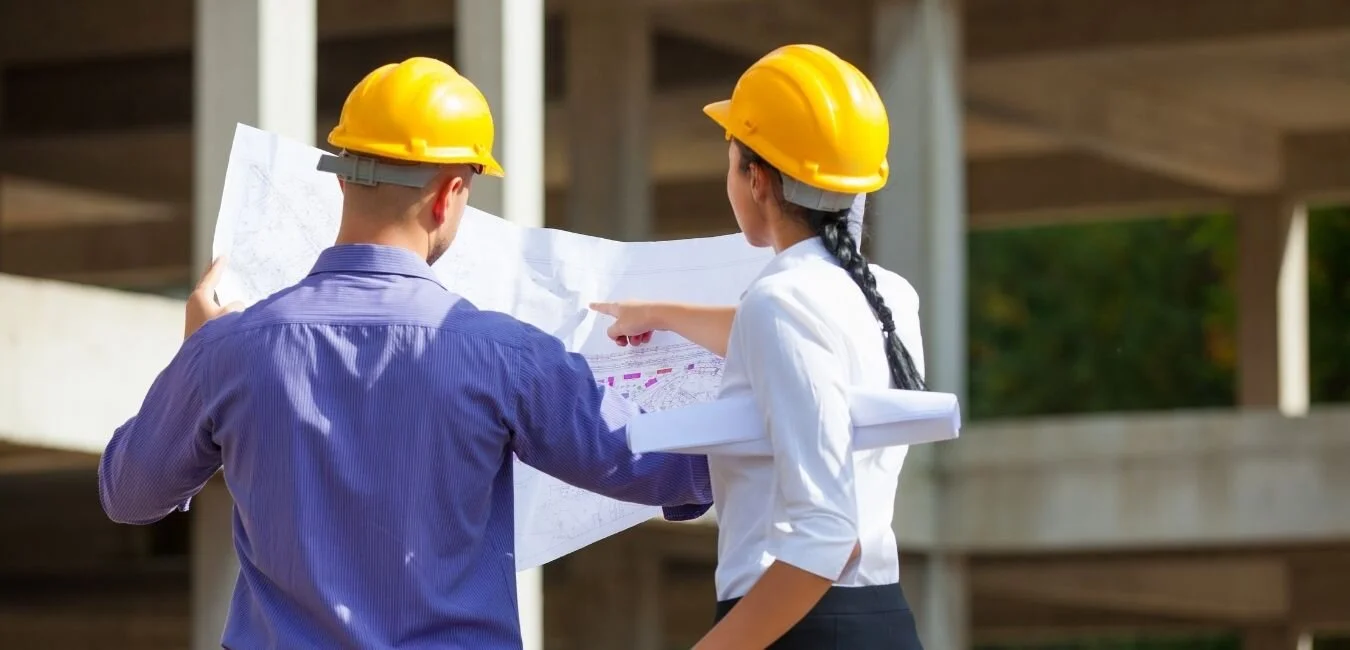
In present-day creation tasks, collaboration among design and location teams is not elective—it’s crucial. Projects these days are speedy-paced, information-driven, and exceedingly complicated, requiring seamless coordination across a couple of disciplines. This is where estimators play a critical role. Acting as a bridge between conceptual planning and on-site execution, estimators assist in aligning expectations, budgets, and timelines from the earliest stages of a project.
One of the important things that approach this alignment is achieved through construction estimation services, where a Construction Estimator provides accurate fee insights and designated quantity breakdowns. These insights enable designers to make informed choices while ensuring that site teams have sensible plans to execute. When the feedback is delivered early, it minimizes misunderstandings and sets a strong basis for collaboration in the course of the task lifecycle.
As tasks pass ahead, the position of estimators will become even more impactful. They do not clearly calculate charges—they interpret designs, become aware of capability risks, and ensure that every stakeholder is working with constant information. This continuous interaction fosters belief among teams and decreases the friction that frequently arises because of miscommunication or incomplete statistics.
The Role of Estimators as Communication Bridges
Estimators act as translators between layout rationale and production fact. Designers often focus on aesthetics and capability, while online website groups prioritize feasibility and execution. Estimators bring these perspectives together by interpreting drawings and specs in a practical, value-centered way.
By taking part in early-degree meetings, estimators help clarify layout details and spotlight potential cost implications. This proactive conversation guarantees that layout selections aren’t only visually appealing but also financially possible and constructible. As a result, both teams gain a clearer knowledge of venture necessities.
Another critical element in strengthening this collaboration is the integration of drafting services. These services provide particular visual representations of task additives, permitting estimators to extract correct quantities and identify discrepancies early. When design groups and location groups work from equally precise drawings, it considerably reduces mistakes and guarantees that everyone is aligned with the undertaking’s vision.
Enhancing Transparency Through Data-Driven Insights
Transparency is one of the most valuable contributions estimators bring to a challenge. Detailed cost breakdowns, fabric portions, and exertion forecasts provide a shared reference point for all stakeholders.
When each design and site group has access to the same facts, it eliminates ambiguity. A CAD Drafter ensures that everyone is working from consistent and accurate drawings, so what’s anticipated, what assets are required, and the way choices affect the general price range are clearly understood. This degree of readability facilitates preventing disputes and keeps the task on the right track.
Reducing Errors and Rework
One of the most important challenges in creation is transformation caused by design inconsistencies or misinterpretations. Estimators play a crucial function in minimizing those issues by using very well-reviewed plans and figuring out gaps earlier than production starts.
Their ability to move, take a look at drawings, specifications, and portions guarantees that capacity conflicts are addressed early. This not only saves time but also reduces needless costs and delays. A nicely coordinated method in the long run leads to smoother mission execution.
Supporting Better Decision-Making
Estimators empower each layout and location group with actionable insights. By studying extraordinary layout alternatives and their fee implications, they assist stakeholders in picking the most efficient solutions.
For instance, if a selected cloth choice will considerably increase fees or complicate setup, estimators can suggest alternatives that are excellent while enhancing feasibility. This collaborative decision-making process guarantees that initiatives reap the high-quality balance between the designated and realistic execution.
Strengthening Workflow Integration
Modern production projects rely heavily on integrated workflows, where more than one team’s paintings are simultaneously in place or sequentially. Estimators contribute to this integration by way of maintaining steady conversation and updating value data as designs evolve.
This dynamic approach ensures that modifications in design are immediately reflected in price estimates and placement planning. It prevents last-minute surprises and keeps all groups aligned for the duration of the undertaking lifecycle.
In this context, construction estimators play a strategic role in preserving continuity between planning and execution. Their expertise ensures that each phase of the undertaking is completed, reducing fragmentation and improving overall performance.
Building Trust Between Teams
Trust is the muse of a hit collaboration, and estimators help build it by way of supplying reliable and constant data. When design teams believe that their thoughts might be appropriately costed, and site groups trust that plans are practical, collaboration will become a good deal smoother.
Construction Estimating Services also act as impartial agents who balance competing priorities. By specializing in facts and practicality, they help clear up conflicts and keep the task moving ahead. This balanced technique fosters a lifestyle of cooperation and mutual admiration.
Final Thoughts
In today’s construction surroundings, estimators are far more than cost calculators—they’re key facilitators of collaboration. By bridging the distance between layout creativity and location practicality, they make sure that initiatives are not only well-planned but also efficiently performed.
Their potential to offer correct records, identify dangers, and support knowledgeable decision-making makes them fundamental to modern production workflows. As projects keep growing in complexity, the position of estimators in enhancing collaboration will simply become more crucial.
Frequently Asked Questions
1. How do estimators improve communication among groups?
Estimators provide clear value data and distinct amount breakdowns, making sure both layout and location teams work with the same statistics, decreasing misunderstandings.
2. Why is early involvement of estimators crucial?
Early involvement enables picking out price implications and layout challenges before production starts, preventing delays and expensive adjustments later.
3. How do estimators lessen venture risks?
By reviewing plans and figuring out inconsistencies early, estimators help keep away from errors, transformations, and sudden costs throughout construction.
4. What tools do estimators use to enhance collaboration?
Estimators use superior software programs, virtual drawings, and integrated project management tools to ensure correct data sharing and seamless coordination among teams.

The construction enterprise is rapidly evolving, driven by growing undertaking complexity, tighter cut-off dates, and growing purchaser expectations. Traditional coordination strategies are not enough to address the dynamic nature of modern construction projects. Today, achievement relies on advanced coordination structures that integrate eras, streamline workflows, and align all stakeholders towards a shared goal.
Efficient coordination is the backbone of productivity. When teams, statistics, and approaches are structured in a coordinated way, tasks become more predictable, delays are minimized, and costly mistakes are avoided. With the support of Construction Estimating Companies, the emergence of next-era coordination systems is transforming how production tasks are planned, achieved, and delivered.
Building a Strong Foundation for Coordinated Project Success
Every efficient production challenge starts with a solid coordination framework. Early planning ensures that each team recognizes their roles, duties, and timelines. Without this clarity, confusion can quickly disrupt progress.
A key thing at this level is accurate fabric-making plans. Tools like takeoff assistance outline genuine material necessities, permitting groups to keep away from shortages and over-ordering. When incorporated into early coordination, it ensures better resource allocation and smoother workflow execution. Establishing this basis early creates alignment amongst stakeholders and decreases the probability of miscommunication later within the assignment.
Connecting Teams Through Structured Planning Systems
Coordination isn’t pretty much making plans—it’s approximately making sure that every team works in sync throughout the project lifecycle. Structured planning systems offer a roadmap that keeps everybody aligned.
These systems define communication protocols, reporting systems, and workflow sequences. When mixed with accurate cloth insights, including lumber, they allow venture managers to maintain consistency and efficiency across all levels. With clear systems in the region, groups can collaborate effectively, decreasing confusion and improving standard productivity.
Data-Driven Decision Making for Better Project Outcomes
Modern production relies heavily on data to guide decisions. From fee estimation to scheduling, data-driven insights help project managers make informed decisions that enhance performance. By analyzing real-time records, groups can discover capacity dangers, track performance, and adjust plans for this reason. This proactive technique minimizes disruptions and keeps initiatives on schedule.
Incorporating Construction Estimating Services in this manner further complements accuracy with the aid of imparting unique cost evaluation and forecasting. This guarantees that financial planning aligns with actual undertaking requirements, decreasing the probability of budget overruns.
Enhancing Budget Control Through Smart Estimation Integration
Cost control is one of the most essential factors of construction challenge management. Without proper coordination, expenses can quickly spiral out of control. Smart estimation integration allows groups to screen charges in real time and make adjustments when necessary. By the use of construction estimating offerings, undertaking managers benefit from higher visibility into costs, supporting them to maintain a budget throughout the venture.
This degree of management is not the most effective in improving performance; however, it additionally builds trust with customers by means of making sure there is transparency and accountability.
Leveraging Advanced Technologies for Seamless Coordination
Technology performs an important function in next-gen coordination systems. Tools, including cloud-based platforms, Building Information Modeling (BIM), and mobile packages, allow real-time collaboration among groups.
These technologies permit stakeholders to get access to updated challenge data, share records instantly, and remedy issues quickly. This reduces delays and guarantees that everybody is working with accurate facts. Automation is a critical issue. By automating repetitive duties, groups can focus on more vital tasks, enhancing standard productivity and performance.
Strengthening Project Accountability and Performance Tracking
Accountability is important for keeping efficiency in construction projects. Clear performance metrics and monitoring systems make certain that each group member is accountable for their duties. Regular progress critiques and performance reviews help pick out areas for development and make sure that cut-off dates are met. This dependable technique maintains the undertaking on the right track and minimizes the risk of delays.
Collaborating with a professional construction estimation company can further enhance duty by using and supplying correct value monitoring and performance insights. This facilitates keeping control over both financial and operational aspects of the mission.
Minimizing Risks Through Proactive Coordination Strategies
Risk management is a critical part of construction coordination. Unexpected demanding situations can disrupt progress and boost fees if not addressed directly. Proactive coordination strategies involve identifying ability risks early and growing contingency plans. Regular conversation and continuous monitoring allow teams to respond fast to any issues that arise.
A reliable Construction Estimating Service can also guide threat management by means of supplying correct forecasts and identifying financial dangers before they come to be essential troubles.
Final Thoughts
Next-era coordination systems are reshaping the construction enterprise by introducing smarter, more efficient ways of dealing with tasks. From early planning and information-driven selection-making to the advanced era and accountability, these systems offer a complete method for enhancing assignment performance.
By adopting cutting-edge coordination strategies, construction professionals can lessen delays, manipulate expenses, and supply amazing outcomes. The future of production lies in connected, intelligent systems that bring clarity and performance to each stage of the task lifecycle.
FAQ’s
1. What are subsequent-technology coordination systems in construction?
They are superior systems that integrate technology, records, and dependent procedures to enhance mission efficiency and collaboration.
2. How do coordination structures improve construction efficiency?
They streamline verbal exchange, reduce errors, and make sure that all teams are working in alignment with the challenge’s desires.
3. Why is statistics critical in construction coordination?
Data provides insights that help task managers make knowledgeable decisions, discover risks, and optimize performance.
4. What position does ERA play in coordination?
Technology allows real-time collaboration, automation, and accurate statistics sharing, which appreciably improves performance.
5. How can construction projects reduce risks successfully?
By using proactive planning, continuous monitoring, and strong coordination strategies to deal with capability problems early.